
Premium WordPress theme review Last updated 1 October 2026
Salient theme review 2026: tested on real client websites
Salient is still one of the most visually capable multipurpose WordPress themes on ThemeForest. Version 18 modernised the builder with Section containers and flexbox controls, added new performance options and continued a release history that goes back to 2013. It is powerful and polished, but it is not the right answer for every WordPress project.
Affiliate disclosure: this review contains affiliate links. We may receive a commission if you buy through them, at no extra cost to you. The website you are reading is built on Salient, so this review includes the advantages and frustrations that only show up after maintaining real sites.

The quick answer
Is Salient still worth buying?
Yes, if your project needs Salient’s design tools. For $60 per website, with free updates for life, you get one of the most complete design systems available for WordPress: a tailored page builder, 400+ ready-made sections, WooCommerce styling and portfolio tools. It is a weaker choice when you need Elementor, a block-only workflow, many sites on one licence, or the freedom to switch themes later without rebuilding pages.
Our verdict after using it on live sites
Salient is not just a collection of demos. The real product is a closely integrated design system: a customised WPBakery builder, hundreds of Salient Studio sections, theme-wide typography and colour controls, portfolio and post-loop components, WooCommerce styling, animation tools, Global Sections and detailed responsive settings.
That integration is why experienced Salient users can build polished pages quickly. Rows, columns and elements share the same controls, and the theme exposes enough detail to create work that does not look like a template. Version 18 added Section containers, responsive flexbox controls, bento-style layouts, better sticky effects and a refreshed settings panel.
The same depth is the main drawback. Anyone can import a demo, but a site that stays easy to maintain needs agreed rules for spacing, typography, responsive behaviour, animation, global sections and custom CSS. Salient is efficient in experienced hands and messy when every option is treated as an invitation to add another effect.
We recommend Salient for design-led WordPress builds where the team is happy to stay in its ecosystem. We would not choose it for an Elementor-first brief, a minimal block theme, a site that must stay builder-neutral, or a very small site that would use little of the feature set.
Salient is a strong fit when
- The website needs a distinctive, highly visual design.
- Your team is happy to learn one builder properly.
- Reusable Global Sections will save time across many pages.
- Portfolio, post layouts, animation or WooCommerce presentation matters.
- You want lifetime theme updates from a one-off purchase per site.
- You will keep to clear performance and responsive standards.
Choose something else when
- Elementor is a fixed requirement.
- The site must use the block editor and full-site editing.
- You need one licence for dozens of client websites.
- Being able to switch themes easily matters more than design tools.
- The project is very simple and should stay lightweight.
- Nobody on the team wants to learn a builder-specific workflow.
Not a lab-only review
What is the Salient WordPress theme?
Salient is a premium multipurpose WordPress and WooCommerce theme made by ThemeNectar. It launched in 2013 and has become one of ThemeForest’s longest-running best sellers, with more than 171,000 sales and over 6,900 reviews averaging 4.81 out of 5.
It is sold as a one-site ThemeForest licence. You get the Salient parent and child themes, the required Salient Core plugin, Salient’s tailored WPBakery builder, optional portfolio and slider plugins, demo importing, future updates and six months of support.
One point causes a lot of confusion: Salient does not contain two separate page builders. “Salient Page Builder” is ThemeNectar’s heavily customised version of WPBakery, with a redesigned interface and many elements built only for Salient. That is why complaints about old, generic WPBakery do not describe the current Salient editing experience.
Long development history
More than a decade of continuous releases reduces the risk of buying a theme that gets abandoned.
Salient Studio sections
ThemeNectar advertises more than 400 professionally designed section templates you can import one at a time.
Current release
Released on 18 September 2026 and listed as compatible with WordPress 6.4 to 7.0 and WooCommerce 8 to 10.
Regular licence scope
Each live website or client project needs its own regular licence.
Current development
What changed in Salient version 18?
Version 18 is more than a new number. It moves Salient towards modern layout tools while keeping the familiar builder workflow.
Deeper container layouts
A new Section element gives complex layouts a clearer structure and allows nested, container-based designs without forcing every idea into old row patterns.
Responsive flexbox controls
Columns, Sections and carousel items gained responsive flexbox controls, so bento grids, vertical alignment and reordered layouts are easier to manage.
Modern scrolling effects
Horizontal scrolling, layered card reveals and stacking effects extend Salient’s visual storytelling without a separate animation plugin.
Refreshed theme options
The options panel has a new interface and a search box, which matters in a theme with hundreds of global settings.
New performance controls
Local Google Fonts, top-of-page image optimisation and extra loading controls make the theme’s performance settings more practical.
Accessibility improvements
Version 18.2 improved accessibility across tabs, toggles, carousels, galleries, animated text and testimonials.
Current WordPress support
Version 18.2 added WordPress 7.0 compatibility, and the ThemeForest listing shows support from WordPress 6.4 to 7.0.
WooCommerce updates
Recent releases support WooCommerce 10 and keep fixing product filters, carts, galleries and other shop behaviour.
The features that matter
Why Salient is still distinctive
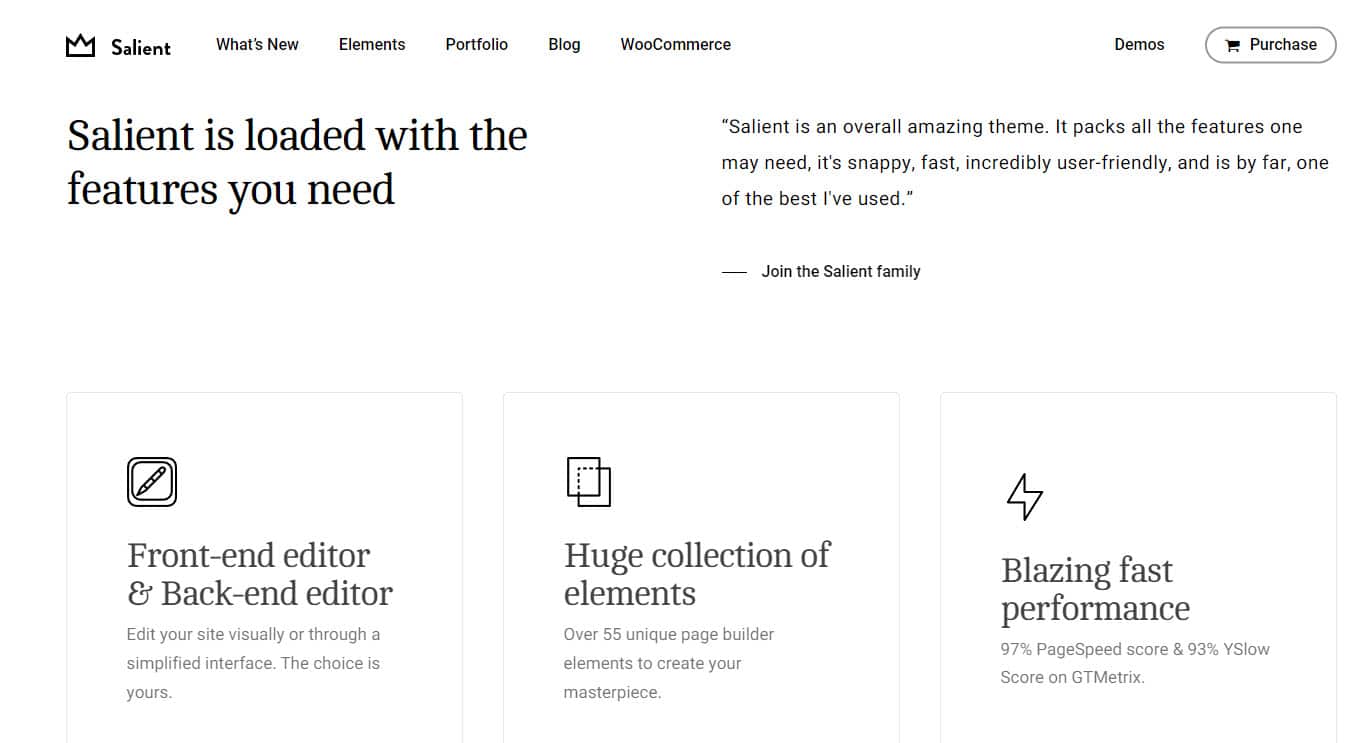
Multipurpose themes often compete on how many options they have. Salient’s stronger argument is that its design, builder elements and interactions feel like parts of the same product.
Tailored visual page builder
Front-end and back-end editors, responsive settings, an element navigator, undo history and Salient-only elements all sit in one familiar workflow.
Salient Studio library
Import individual professional sections instead of a whole demo. It is faster and usually produces a more original result.
Global Sections
Build a section once, place it across the site and update every copy in one go. Display conditions give you more control.
Advanced interaction design
Sticky content, parallax, text reveals, Lottie, animated SVG, carousels, mouse trails and layered transitions are all built in.
Post Loop Builder
Design flexible post and archive layouts with custom fields, carousels, masonry grids and reusable content designs.
WooCommerce presentation
Product grids, an AJAX cart, quick view, gallery styles, reviews and shop elements make stores feel part of the brand.
Portfolio system
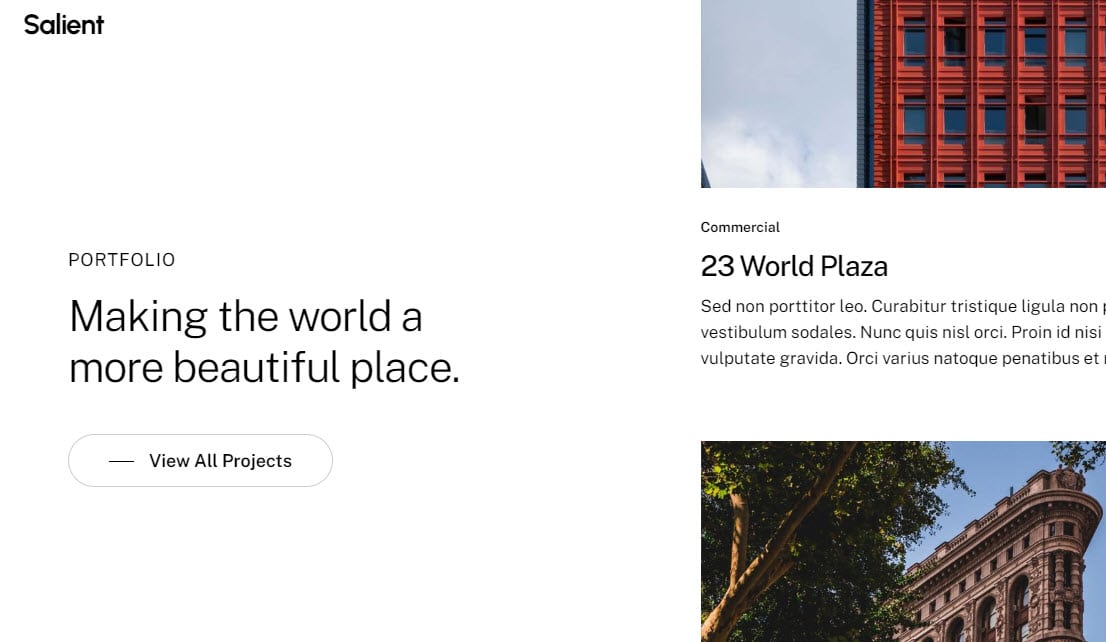
Salient is still particularly strong for agencies, photographers, architects and creative businesses that need rich project galleries.
Responsive design controls
Typography, spacing, widths, visibility and layout can be changed for each screen size without writing CSS by hand.
Developer extension points
Theme hooks, filters, element overrides and a child theme allow proper development beyond the visual interface.
Editing workflow
Salient Page Builder reviewed
The builder is the main reason to buy Salient, and the main reason switching away later can be expensive.
Back-end builder
Best for seeing the structure of long pages, cloning sections, moving rows quickly and editing without visual effects getting in the way.
Front-end editor
Useful for spacing, typography, visual balance and fine-tuning each screen size. Version 18 made navigation faster on complex pages.
Element Navigator
A tree view helps you find deeply nested sections and now supports drag-and-drop reordering.
Salient Studio
Import a single hero, testimonial area, service layout or call to action instead of inheriting a whole demo’s content.
Global Sections
Ideal for shared calls to action, trust panels, service navigation and promotional strips that appear on many pages.
Custom code when you need it
Raw HTML, page-specific CSS, theme hooks and template overrides let developers go beyond the visual controls.
Why it feels better than generic WPBakery
ThemeNectar controls both the theme and the bundled builder. Elements, previews, responsive controls, Salient Studio templates and theme options are designed to work together instead of feeling like unrelated add-ons.
Why lock-in is a real drawback
Salient layouts are saved as WPBakery shortcodes and often use Salient-only elements. Moving to another theme usually means rebuilding pages, not just changing the look.
Do not mix builders casually
You can install Elementor alongside Salient, but you end up with two design systems, two sets of responsive controls and more CSS and JavaScript to maintain. Pick one builder for the project and keep every page in it.
Core Web Vitals and loading
Is Salient a fast WordPress theme?
Salient can be faster than its “heavy multipurpose theme” reputation suggests, but it is not fast by default. How you build the pages decides whether its flexibility becomes useful code or expensive decoration.
Delay theme JavaScript
Salient’s own performance guide calls Delay JavaScript Execution its most important speed setting. Test menus, sliders, galleries, forms and anything above the fold after turning it on.
Serve fonts locally
Local Google Fonts cut external connections and simplify privacy. Remove unused font families and weights.
Optimise the first image
The top-of-page image setting can improve Largest Contentful Paint. Use correctly sized modern images and never lazy-load the main hero image.
Lazy-load builder media
Defer images that really are below the fold. Check carousels and masonry grids so lazy loading does not make the layout jump.
Reduce dynamic CSS
Remove unused global colours and fonts. Lots of one-off values and deeply nested layouts create more generated CSS and harder maintenance.
Avoid double optimisation
Do not delay, combine or rewrite Salient’s files in both the theme and a performance plugin. Set exclusions and test on real phones.
A practical performance baseline
Use the theme’s settings before adding another optimiser
- Modern PHP and properly configured page caching
- Local fonts with only the weights you use
- Top-of-page image optimisation turned on
- Builder image lazy loading turned on
- Delay JavaScript tested on every important interaction
- WebP or AVIF images with set width and height
- Few third-party trackers, chat widgets and video embeds
- Separate mobile checks for CLS, LCP and interaction delay
Depends on the buildA restrained Salient site can perform very well. A page packed with video backgrounds, several sliders, heavy fonts and unnecessary motion will not be rescued by a single cache setting.Read our NitroPack review
Search visibility
Is the Salient theme good for SEO?
Salient can support excellent SEO, but an “SEO-friendly theme” is not a ranking strategy. The builder gives you enough control to create clean, useful pages, and enough to create bloated, badly structured ones.
Strong responsive presentation
Detailed screen-size controls keep spacing, hierarchy and interactions readable on desktop, tablet and mobile.
Flexible content structure
Post loops, portfolios, Global Sections and custom fields can support strong category, service and project pages when planned properly.
Heading misuse
Visual builders make it easy to pick headings for their look rather than their meaning. Every page still needs one clear H1 and logical H2 and H3 sections.
Animation and hidden content
Motion should help understanding. Too many entrance effects, pinned sections and mobile-only duplicates hurt usability and speed.
Duplicate schema
Theme output, SEO plugins and custom schema can overlap. Test the final page instead of assuming every layer works together.
Works with SEO plugins
Salient works with Yoast and other established SEO plugins and gives enough template control for strong internal linking and landing pages.
A theme cannot build authority for you
Rankings still depend on research, useful content, internal links, crawlability, local relevance and earned links. Our SEO services cover the strategy that sits above the theme, from £300 a month.
Online stores
Salient for WooCommerce
Salient is a particularly good fit when a store must feel like part of a polished brand rather than a default WooCommerce install.
AJAX slide-out cart
A smoother cart keeps customers on the page instead of sending them to a separate cart screen.
Product quick view
Customers can check key product details without leaving the listing. Test it for accessibility and on mobile.
Premium product media
Gallery and image options present products far better than the default WooCommerce templates.
Flexible product displays
Builder elements and product loops let you place categories, featured items and offers inside campaign pages.
Consistent visual system
Buttons, typography, colours, cards and spacing carry through from your content pages into the shop.
Ongoing compatibility testing
WooCommerce changes quickly. Test the cart, checkout, account pages, filters, variations and emails after major updates.
Free decision tool
Is Salient right for your project?
Choose the options closest to your project. The checker scores how well Salient fits and works out the licence cost for the number of live websites.
Project assumptions
Choose the workflow you really intend to maintain.
This is an editorial fit check, not a guarantee. The licence estimate uses the $60 regular licence price checked on 1 October 2026 and excludes tax, fees and the optional $18 support extension.
Project fit result
Strong fit
Price verified 1 October 2026
Salient pricing in 2026
Salient costs $60 for a regular licence on ThemeForest: a one-off payment for one website, with free updates for life and six months of support. For agencies and anyone running several sites, the licence terms matter more than the headline price.
| Item | Current terms | What it means |
|---|---|---|
| Regular licence | $60 one-off | For you or one client, in one end product that users are not charged to access. |
| Live websites | One per licence | Each separate client or live website normally needs its own regular licence. |
| Future updates | Included | Theme updates continue with no annual renewal fee. |
| Author support | Six months included | ThemeNectar answers product questions and bug reports; customisation and installation are not included. |
| Support extension | $18 for 12 months | Optional at checkout. Extends support to 12 months in total. |
| Tax and fees | Not in the listed price | ThemeForest charges in US dollars, so your card charge in pounds can differ after tax and fees. |
Excellent value for one site
One purchase includes the builder, Salient Studio, WooCommerce styling, portfolio tools and future updates.
Agency costs add up
Ten client sites mean ten licences. Divi’s unlimited-site licence can work out cheaper for agencies, even if Salient is the preferred design tool.
Learning time is part of the cost
The licence is cheap; the bigger investment is learning a complex design system and writing down a repeatable build process.
Check the live listing
Confirm price, version and compatibility before you buy
ThemeForest prices, support extensions and compatible WordPress or WooCommerce versions can change after this review was checked.
Affiliate link. We may earn a commission.
Balanced assessment
Salient pros and cons
Pros
- Exceptional visual flexibility without custom coding.
- One consistent design language across builder elements, templates and theme options.
- 400+ Studio sections for faster, more original pages.
- Long update history, with the latest release in September 2026.
- Excellent portfolio and agency presentation.
- Strong WooCommerce styling and useful shop features.
- Global Sections and responsive controls speed up production.
- Free updates for life with the one-off licence.
Cons
- One licence per website gets expensive for large agency portfolios.
- Builder and shortcode lock-in make switching themes harder.
- A real learning curve, despite easy demo importing.
- Not Elementor-first and not a block-theme workflow.
- Speed depends on restraint, hosting and careful optimisation.
- No fully free-form visual builder for every header, footer and archive template.
- So many settings can create inconsistency without design rules.
- Overused effects hurt usability.
Compare the options
Salient alternatives
The question is not which theme has the longest feature list. It is which editor, licence and maintenance approach suit the people who will run the website.
Best for full visual theme building
Avada is a broader website-builder ecosystem with extensive layout and template controls. It is a strong alternative when a visual header, footer and archive builder matters more than Salient’s design character.
Licence model:One-off ThemeForest licence per website.
Best for sheer prebuilt variety
BeTheme offers hundreds of prebuilt websites, BeBuilder and Elementor compatibility. It suits people who want the widest choice of starting templates.
Licence model:One-off ThemeForest licence per website.
Best for unlimited-site licensing
Divi’s visual builder and unlimited-site licence are compelling for freelancers and agencies producing many sites. The workflow and output feel different from Salient.
Current pricing:$89 a year or $249 lifetime, unlimited sites.
Best for lightweight flexibility
Astra suits projects that should stay lightweight and work with blocks, Spectra or Elementor rather than an all-in-one theme builder.
Current Astra Pro pricing:$99 first year (renews at $149) or $279 lifetime, up to 3 sites.
Best for block-led production
Kadence combines a lightweight theme with block tools, design patterns and premium bundles. It suits teams standardising on the WordPress block editor.
Licence model:Annual bundles; check the official pricing page.
| Option | Main editor | Licence model | Best reason to choose it | Main compromise |
|---|---|---|---|---|
| Salient | Tailored WPBakery | $60 one-off per site | Polished design system and visual effects | Builder lock-in and per-site licensing |
| Avada | Avada Builder | One-off per site (ThemeForest) | Complete visual theme builder | Large ecosystem and learning curve |
| BeTheme | BeBuilder or Elementor | One-off per site (ThemeForest) | Huge library of prebuilt sites | More options than most projects need |
| Divi | Divi Builder | $89/year or $249 lifetime, unlimited sites | Agency-friendly licence | Commitment to the Divi ecosystem |
| Astra | Blocks, Spectra or Elementor | From $99 first year, 3 sites | Lightweight and editor choice | Add-ons can raise the cost |
| Kadence | WordPress blocks | Annual bundles | Block-led workflow and speed | Less of Salient’s built-in visual flair |
Our build sequence
How to start a Salient website properly
Importing a demo takes minutes. Building a coherent Salient site that stays easy to maintain needs a more deliberate order.
Buy the right licence
Assign one regular licence to the live website and keep the purchase code for updates and support.
Install parent and child themes
Activate the child theme before adding any PHP changes, and keep the parent theme for updates.
Update the required plugins
Keep Salient Core and Salient WPBakery in step with the theme version, not just the theme itself.
Set the design system
Choose typography, colours, container widths, buttons, spacing and image style before building lots of pages.
Import selectively
Use Salient Studio sections or a suitable demo as a starting point, then remove settings that do not fit the brief.
Create Global Sections
Centralise repeated service links, review panels, calls to action and promotions early on.
Configure performance
Optimise fonts, images, delayed JavaScript, caching and above-the-fold assets before the site fills up with content.
Test on real devices
Check real phones and tablets, not just builder previews. Review text, pinned effects, grids, forms and menus.
Check SEO and accessibility
Audit heading order, links, alt text, keyboard use, contrast, schema and archive templates before launch.
Document the build
Write down global settings, custom classes, cache exclusions and update steps so future changes stay consistent.
Want a Salient website without the learning curve?
We build bespoke WordPress websites on Salient, with performance, SEO and responsive testing set up from day one. Business websites start from £1,000 and online shops from £2,000, and every site runs on our fast UK hosting from £96 a year.
Final fit check
Who should use Salient?
Salient is at its best when a capable team values design range and plans to use it for years, not when a buyer just wants the demo screenshot.
Web design agencies
Agencies that want reusable design standards, Global Sections, sophisticated interactions and fast production once the team is trained.
Creative and portfolio businesses
Architects, photographers, designers, studios and consultants whose project work is central to the website.
Design-led WooCommerce stores
Brands that need the shop, articles and campaign pages to share one premium look.
Established businesses
Organisations that need flexible service, landing, team, case-study and resource pages without custom-building every component.
Our final recommendation
Salient is still one of the best design-led WordPress themes
Buy it for the integrated design system, not just because it has hundreds of options. Use a child theme, set responsive and performance standards, and accept that complex pages will stay tied to the Salient builder.
View the Salient theme
Affiliate link. No extra cost to you.
Salient questions answered
Frequently asked questions
Answers on price, licences, WPBakery, Elementor, Gutenberg, speed, SEO, WooCommerce, support and theme lock-in.
How much does the Salient WordPress theme cost?
Salient costs $60 for a regular licence on ThemeForest (checked 1 October 2026). It is a one-off payment for one website and includes free future updates and six months of ThemeNectar support. Extending support to 12 months costs $18, and tax or fees can be added at checkout.
Does one Salient licence cover multiple websites?
No. A ThemeForest regular licence covers one end product. An agency building five separate client websites normally needs five Salient licences, even if they are bought from the same account.
Is Salient good for beginners?
A motivated beginner can use Salient, especially when starting from a demo or a Salient Studio section. It is not the simplest WordPress theme, because the page builder, theme options, responsive controls, animations and global settings take time to learn.
Is Salient still using WPBakery?
Yes, but it uses a heavily customised Salient version of WPBakery rather than the generic plugin found in many older themes. It includes front-end and back-end editing, responsive controls, reusable Global Sections, an element navigator and Salient-only elements.
Can I use Elementor with Salient?
You can install Elementor on a site running Salient, but it is not Salient’s native workflow. Mixing builders adds CSS, maintenance and migration problems. Use Salient with its own builder, or choose an Elementor-first theme if Elementor is a must.
Does Salient work with Gutenberg?
Yes. ThemeForest marks Salient as Gutenberg optimised, and you can use the block editor for normal WordPress content. Salient’s distinctive layouts and design tools still rely mainly on its tailored WPBakery builder rather than a block-first, full-site-editing workflow.
Is Salient fast?
Salient can be fast, but it depends on hosting, images, fonts, animations, third-party scripts and how pages are built. The theme includes delayed JavaScript, local Google Fonts, top-of-page image optimisation and builder image lazy loading, which all need careful testing.
Is Salient good for SEO?
Salient gives you a solid responsive, technical base, but a theme does not do keyword research, write content, earn links or replace an SEO plugin. Builders can also create poor heading structures when used carelessly, so how you build matters.
Is Salient good for WooCommerce?
Yes. Salient includes tailored WooCommerce styling and features such as an AJAX slide-out cart, product quick view, gallery options and shop elements. The current version supports WooCommerce 8 to 10, but test templates and checkout after every major WooCommerce update.
Does Salient include a header and footer builder?
Salient has many header styles, navigation settings, transparent and sticky header options, Global Sections and theme options. It does not have the completely free-form visual builder for every header, footer and archive template that some competitors offer.
How often is Salient updated?
ThemeNectar has updated Salient regularly since 2013. The current release is version 18.3.0, released on 18 September 2026, and version 18 has had continued feature, compatibility, WooCommerce, performance and accessibility updates.
What support is included with Salient?
Each ThemeForest purchase includes six months of ThemeNectar support, extendable to 12 months for $18. ThemeNectar aims to reply within 12 hours, or up to 24 hours at busy times and weekends. Custom development and installation are not included.
Will changing away from Salient leave shortcodes behind?
Usually, yes. Salient’s builder saves pages as WPBakery shortcodes with theme-specific elements. Switching to another builder or a block theme often means rebuilding complex pages and cleaning up shortcodes. It is one of the most important long-term considerations.
Should I use a child theme with Salient?
Yes, use the supplied child theme for any PHP template changes, functions or larger customisations. Keep normal page layouts and theme options in the usual workflow, and never edit the parent theme, because updates would overwrite your changes.
Is Salient suitable for agencies?
Yes, especially for agencies that value polished design, reusable Global Sections, a large template library and detailed responsive controls. Budget one $60 licence per client website and set clear build standards so settings stay consistent.
What are the best Salient alternatives?
Avada and BeTheme offer broader visual theme-building systems on ThemeForest. Divi suits people building many sites, with unlimited-site licences from $89 a year. Astra and Kadence suit lightweight, block-led or Elementor-led builds. The right choice depends on your editor, licence needs, design ambition and how you maintain sites.
Is Salient worth buying in 2026?
Yes, for visually ambitious business, portfolio, agency and WooCommerce websites that will use Salient’s design system. It is less compelling for a very simple brochure site, an Elementor-only workflow or a project that must stay easy to move to another theme.
Research and verification
Sources used for this review
Price, sales, version, support and compatibility were checked against ThemeForest, ThemeNectar and official competitor pricing pages on 1 October 2026. The verdict also reflects our own use of Salient on live websites.
- Salient ThemeForest listingPrice, sales, reviews, version, licence, WordPress and WooCommerce compatibility.
- Salient changelogVersion 18 features, fixes and accessibility work.
- Official Salient featuresBuilder, Salient Studio, Global Sections, WooCommerce and performance overview.
- Page Builder documentationBuilder interface, front-end editing, Salient Studio and supported elements.
- Performance guideTheme performance options, fonts, images, caching and JavaScript guidance.
- ThemeNectar support informationWhat support covers and the stated response time.
- Divi pricingYearly and lifetime unlimited-site plans.
- Astra pricingAstra Pro yearly and lifetime plans.
